
category:
Design
Back to Blog Index
Figmaでフレームの高さをコンテンツに合わせて自動で調整する方法
Figmaでフレームの高さをコンテンツに合わせて自動で調整(Fit to Content)するには、以下のようにします。
Shift + Option + Command + R(Mac)
Shift + Alt + Ctrl + R(Windows)
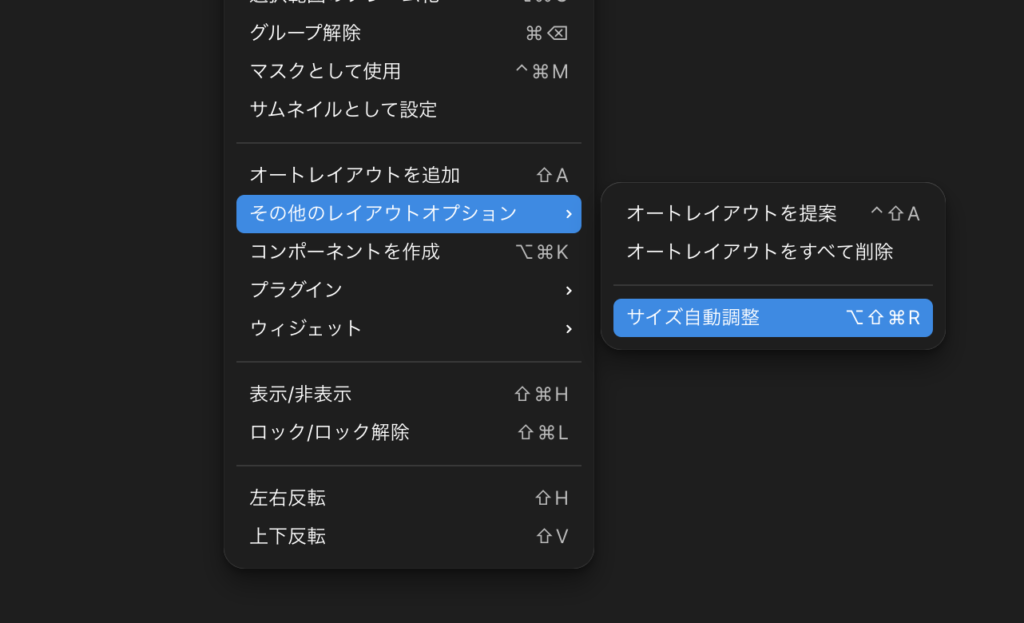
右クリック> その他のレイアウトオプション > サイズ自動調整
でもできます。もちろんwidth, heightどちらも自動調整されます。