
category:
Technology
Back to Blog Index
無料で使えるAjax,PHP,MySQLで作られたtumblelogCMS!『gelato』
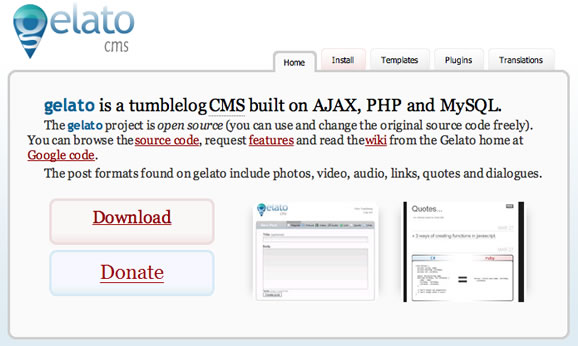 すごいCMSを見つけてしまった。
今回ご紹介するのは、『gelato』。無料で使えるAjax,PHP,MySQLで作られたtumblelogCMSだ。
『gelato』は、tumblrタイプのブログを書くことができる。tumblrと違う点は、自分のサーバで動かせる点だ。
インストール後、DBを作成して設定ファイルを編集すれば、すぐに使えるようになる。
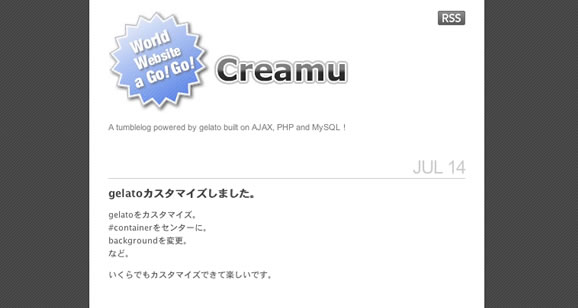
デモは↓。早速作ってみましたw。
インストール&DB設定:10分
デザイン&CSS編集:30分
すごいCMSを見つけてしまった。
今回ご紹介するのは、『gelato』。無料で使えるAjax,PHP,MySQLで作られたtumblelogCMSだ。
『gelato』は、tumblrタイプのブログを書くことができる。tumblrと違う点は、自分のサーバで動かせる点だ。
インストール後、DBを作成して設定ファイルを編集すれば、すぐに使えるようになる。
デモは↓。早速作ってみましたw。
インストール&DB設定:10分
デザイン&CSS編集:30分
 » /gelato/
かなり使えるCMSとなっている。
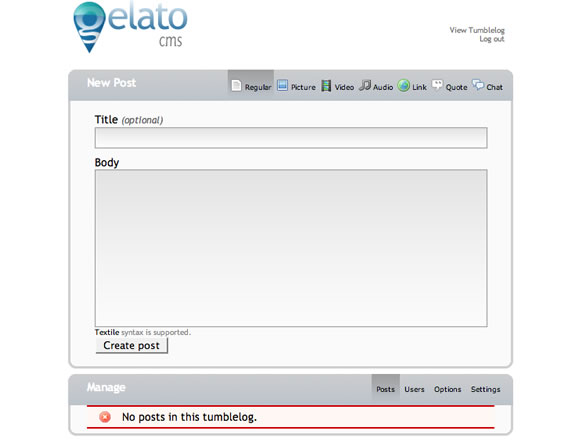
管理画面がAjaxでメッセージがフェードアウトしたり、とても気持ちいい。
さて、インストール方法をご説明。
・gelatoパッケージをダウンロード。
・DBとDBユーザを作成。
・config-sample.phpをconfig.phpにリネーム。
・config.phpを以下のように編集。
» /gelato/
かなり使えるCMSとなっている。
管理画面がAjaxでメッセージがフェードアウトしたり、とても気持ちいい。
さて、インストール方法をご説明。
・gelatoパッケージをダウンロード。
・DBとDBユーザを作成。
・config-sample.phpをconfig.phpにリネーム。
・config.phpを以下のように編集。
define(‘DB_Server’, ‘localhost’); // Set the MySQL hostname (generally “localhost”)
define(‘DB_name’, ‘データベース名’); // Set the MySQL database gelato should use
define(‘DB_User’, ‘DBユーザ名’); // Set the MySQL username
define(‘DB_Password’, ‘DBパスワード’); // Set the MySQL password
define(‘Table_prefix’, ‘テーブル接頭辞(空白でもOK)’); // Set the MySQL tables prefixes
・webサーバの下にgelatoファイルを置く。
・install.phpをURLから開く。
・uploadsフォルダのパーミッションを777に変更。
以上です☆とても簡単。ここまで本当に10分で終わります。
あとは/themes/tumblr/にある「style.css」とテンプレートファイルである各種htmファイルを編集。好みのデザイン、スタイルに変更できる。
オープンソースのtumblelogCMS、かなり使えるから、ぜひ使ってみていただきたい。
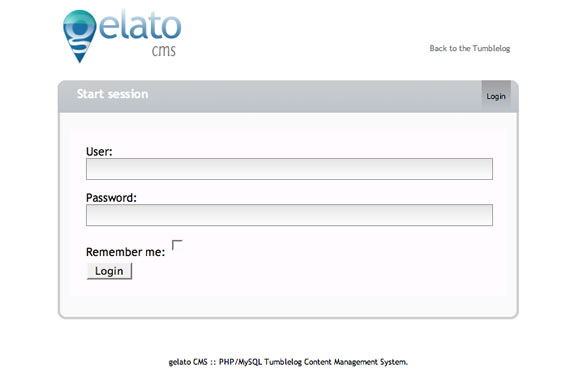
管理画面は↓w。
■ログイン画面
define(‘DB_name’, ‘データベース名’); // Set the MySQL database gelato should use
define(‘DB_User’, ‘DBユーザ名’); // Set the MySQL username
define(‘DB_Password’, ‘DBパスワード’); // Set the MySQL password
define(‘Table_prefix’, ‘テーブル接頭辞(空白でもOK)’); // Set the MySQL tables prefixes
 ■投稿画面
■投稿画面
 ■関連記事
» ポップでライトな感じで書けるスクラップブックCMS『Tumblr』
これはかなりすごい!感動しました。
よぅし今日もはじけるぞ!
■関連記事
» ポップでライトな感じで書けるスクラップブックCMS『Tumblr』
これはかなりすごい!感動しました。
よぅし今日もはじけるぞ!